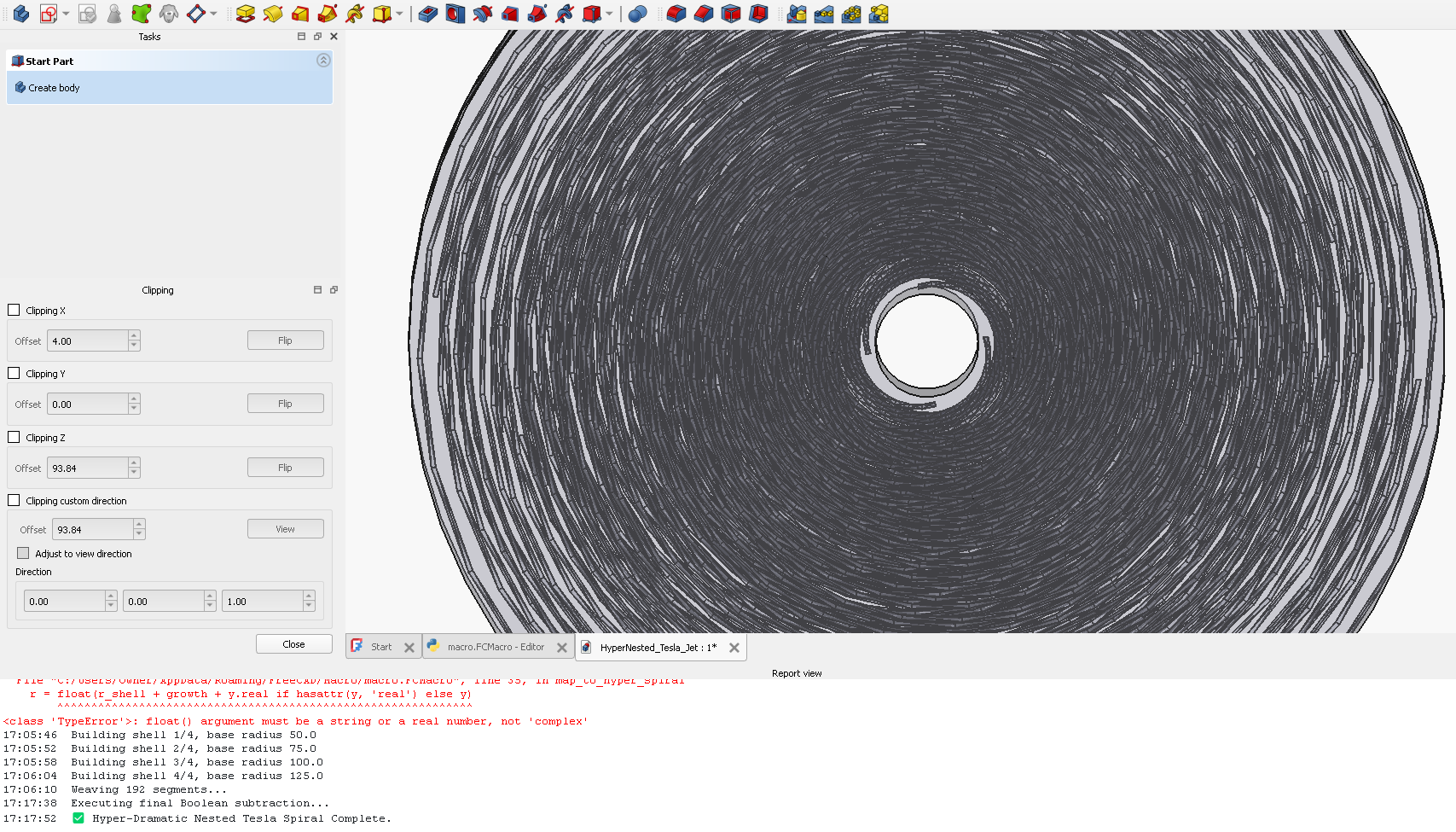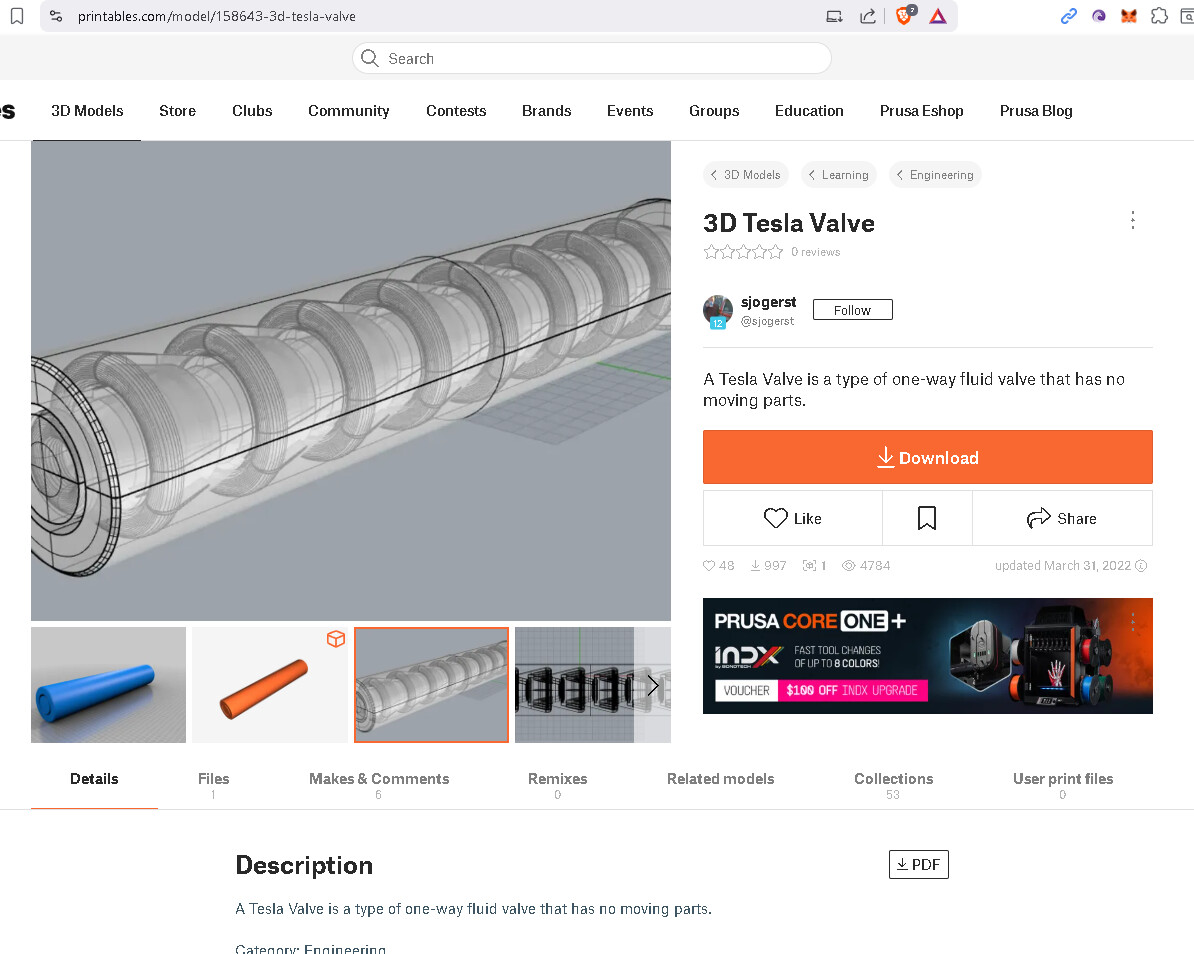
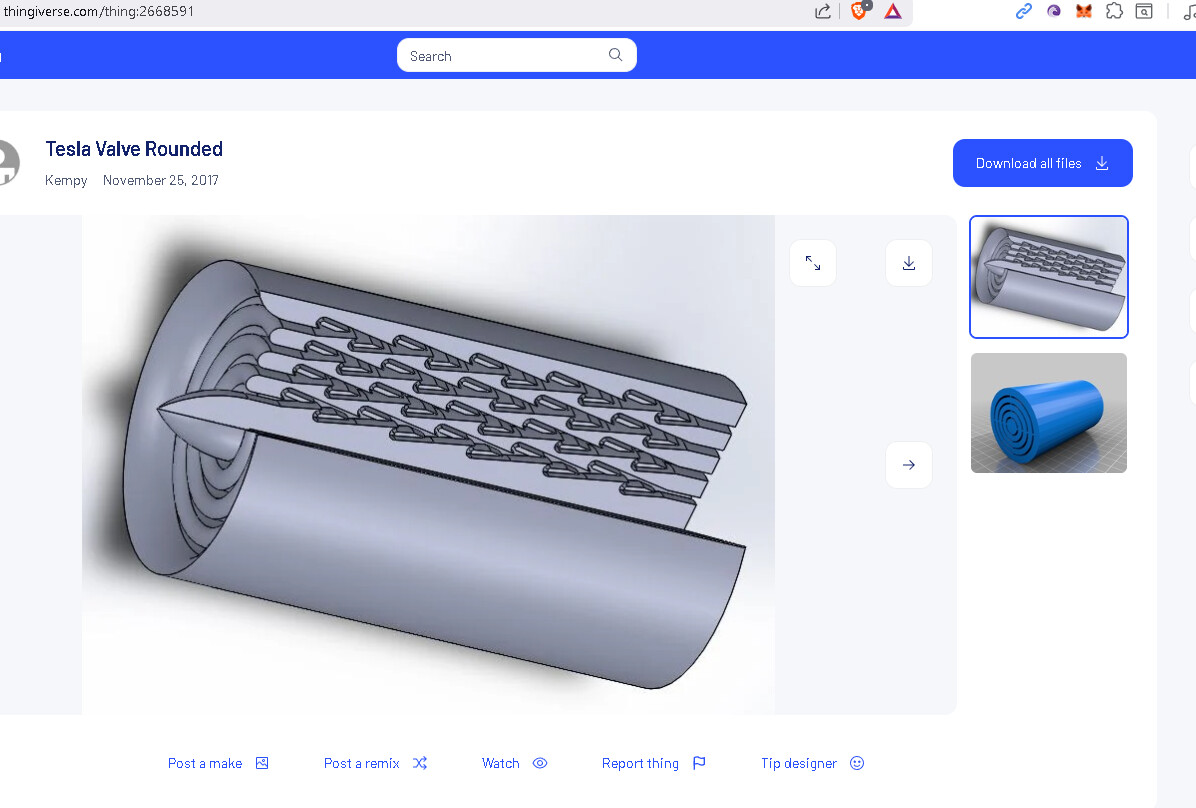
Now spin it! And yes, it is a pulse jet if lefts as static.
“It’s a flat/nested planar design (not inherently spinning/helical), but the layered loops lend themselves perfectly to a “spinning” remix.”
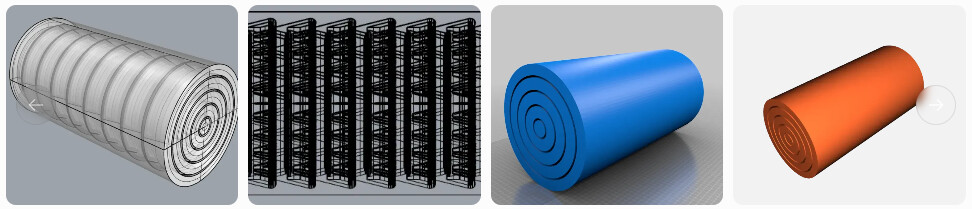
"To make it truly “spinning” (helical/vortical enhancement for your phase-rotation math):
- Import the STL into free tools like Tinkercad (browser-based) or FreeCAD.
- Apply a twist modifier: Rotate successive nested layers by 5–15° each along the Z-axis (or add a helical sweep to the internal channels).
- For cylindrical/spinning feel: Start with the related cylindrical Tesla valve STL (GrabCAD has a good one: Free CAD Designs, Files & 3D Models | The GrabCAD Community Library) and blend in nested elements.
- Print tips: 0.2 mm layers, 100% infill on channels for leak-proof steam tests, PETG/ASA material for heat resistance. Test forward bias first with compressed air, then add pulsatile hot/cold steam."
*Grok
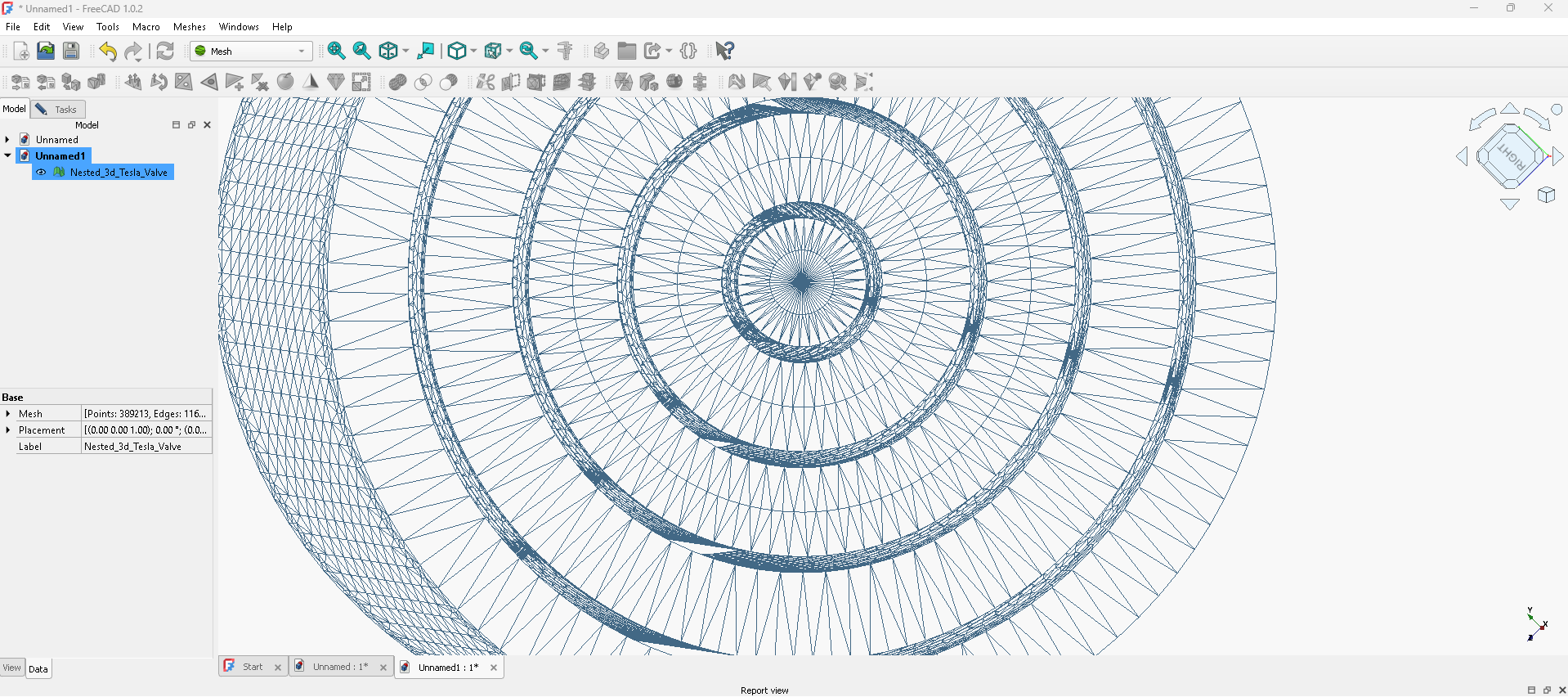
The STL was too flattened for me to work with, but doesn’t our helix naturally arise when we spin the shape as-is? I wish I had the root equation of that valve, well isn’t it mathematic anyways?
1. What geometry you actually need for a Tesla valve
A classic Tesla valve is built from repeating asymmetric flow cells. Each cell has:
• A main straight channel
• A curved side loop that rejoins downstream
• A smooth, non-self-intersecting curve (no sharp corners)
So in CAD terms, you want:
- A centerline curve
- Offset it by channel width
- Pattern it linearly
FreeCAD likes:
- Parametric curves
- Sketcher equations
- Or Python macro curves
2. The simplest curve that works (and prints well)
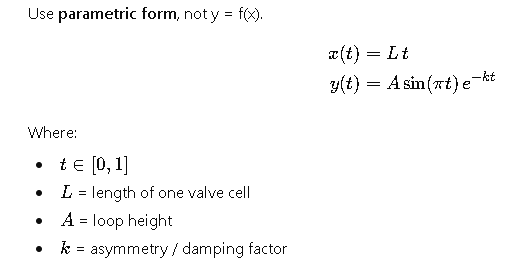
This curve gives you a very Tesla-valve-like side loop and is easy to control:
Parametric curve (recommended)
Use parametric form, not y = f(x).
3. How to enter this in FreeCAD (no scripting)
Option A: Sketcher → Equation-driven curve
- Create a new sketch
- Switch to Draft → Shape from equation
- Choose Parametric
- Enter:
x(t) = 40*t
y(t) = 10*sin(pi*t)*exp(-2*t)
Adjust values live:
- Increase
10→ stronger valve action - Increase
2→ more one-way behavior - Increase
40→ longer smoother cells
4. If you want a more “true” Tesla loop
This one introduces curvature bias (stronger reverse resistance):
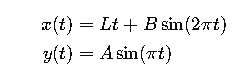
x(t) = 40*t + 5*sin(2*pi*t)
y(t) = 12*sin(pi*t)
This creates:
- Forward flow = smooth
- Reverse flow = collision + vortex formation
5. Channel creation (important)
Once you have the curve:
- Use Part → Offset2D
- Offset both sides by
channel_width / 2 - Close ends
- Pad / Extrude
Typical values:
- Channel width:
2–5 mm(for prints) - Height:
3–6 mm
6. Want the “Tesla patent style” valve?
Tesla’s original design is basically a logarithmic spiral splice.
If you want that:
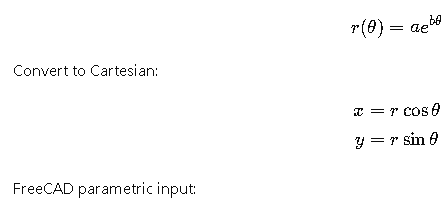
x(t) = exp(0.3*t)*cos(t)
y(t) = exp(0.3*t)*sin(t)
Trim and join it to a straight channel.
7. Our bot’s recommendation (from actual CFD + printing experience)
Start with this exact curve:
x(t) = 40*t
y(t) = 10*sin(pi*t)*exp(-2*t)
 The Macro
import FreeCAD as App
import Part
import math

# --- Parameters ---
L = 40.0
A = 12.0
k = 1.8
num_cells = 5
channel_width = 4.5
channel_height = 5.0
wall_thickness = 4.0
num_points = 60
overlap = 1.5         # Small extension to ensure perfect "mating" junctions

doc = App.activeDocument() or App.newDocument("Tesla_Final_Weave")

def tesla_curve(t, x_offset, mirror=False):
    """
    Forces the curve to return to Y=0 precisely at t=1.
    """
    m = -1 if mirror else 1
    # We map t from [0, 1] to a slightly longer range to create overlap
    x = (L + overlap) * t + x_offset - (overlap/2)
    # The (1-t) ensures the loop 'closes' mathematically
    y = m * A * math.sin(math.pi * t) * math.exp(-k * t) * (1 - t)
    return App.Vector(x, y, 0)

def create_segment(x_offset, mirror):
    pts = [tesla_curve(i/(num_points-1), x_offset, mirror) for i in range(num_points)]

    # Generate the 3D solid via offset profile
    top, bottom = [], []
    for i in range(len(pts)):
        p = pts[i]
        tan = pts[i+1] - pts[i] if i < len(pts)-1 else pts[i] - pts[i-1]
        tan.normalize()
        norm = App.Vector(-tan.y, tan.x, 0)
        top.append(p + norm * (channel_width / 2))
        bottom.append(p - norm * (channel_width / 2))

    bottom.reverse()
    wire = Part.makePolygon(top + bottom + [top[0]])
    return Part.Face(wire).extrude(App.Vector(0, 0, channel_height))

# --- Build the Weave ---
segments = []
for n in range(num_cells):
    # Standard Chain
    segments.append(create_segment(n * L, False))
    # Mirrored Staggered Chain
    segments.append(create_segment(n * L + (L / 2), True))

# Boolean Fusion of all segments
fluid_path = segments[0]
for s in segments[1:]:
    fluid_path = fluid_path.fuse(s)

# Create the solid block body
bb = fluid_path.BoundBox
body = Part.makeBox(bb.XLength + 10, bb.YLength + (wall_thickness*2), channel_height,
                    App.Vector(bb.XMin - 5, bb.YMin - wall_thickness, 0))

# The Final Cut
tesla_valve = body.cut(fluid_path)

# Display
obj = doc.addObject("Part::Feature", "Perfect_Tesla_Valve")
obj.Shape = tesla_valve
doc.recompute()
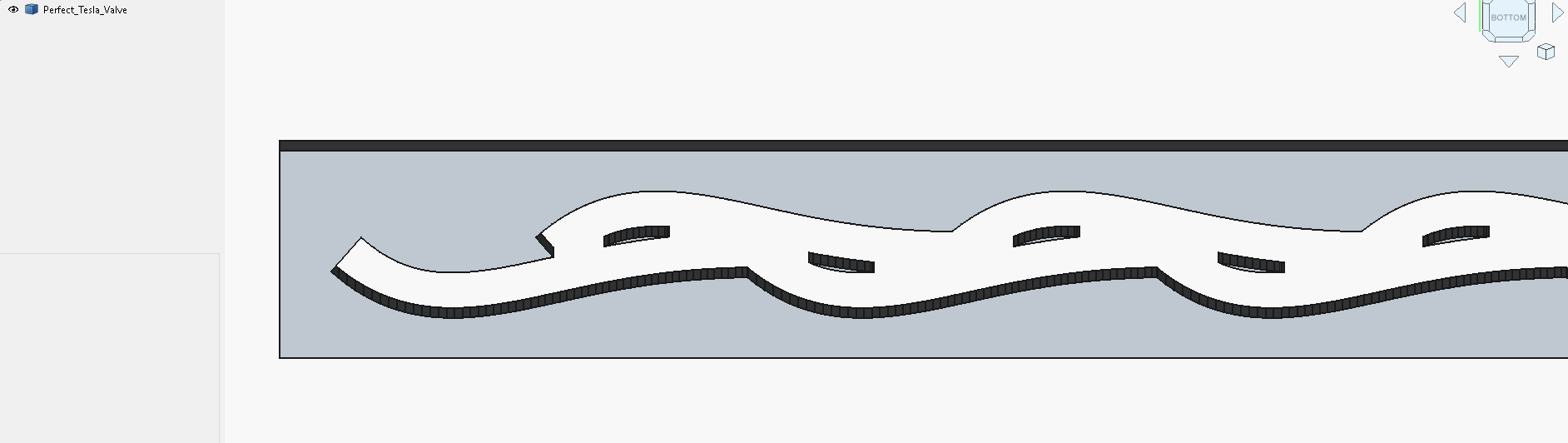
Now we stack them:
import FreeCAD as App
import Part
import math

# --- Parameters ---
R_base = 50.0         # Radius of the valve core
L_arc = 40.0          # Arc length of one "J" segment
A = 10.0              # Loop depth
k = 2.0
num_cells_circ = 8    # Number of "J" pairs around the circle
num_layers = 4        # How many times the pattern repeats vertically
layer_height = 15.0   # Vertical distance between weave layers

channel_width = 4.0
channel_height = 8.0  # Height of the individual fluid channel
wall_thickness = 5.0
num_points = 50
overlap = 1.2

doc = App.activeDocument() or App.newDocument("Repeating_Tesla_Cylinder")

def polar_segment(t, theta_offset, z_offset, mirror=False):
    """Calculates points for a J-segment wrapped in 3D space."""
    m = -1 if mirror else 1
    total_angle = (L_arc + overlap) / R_base
    theta = (total_angle * t) + theta_offset - (overlap / (2 * R_base))

    # Radial displacement (the Tesla logic)
    dr = m * A * math.sin(math.pi * t) * math.exp(-k * t) * (1 - t)
    r = R_base + dr

    x = r * math.cos(theta)
    y = r * math.sin(theta)
    z = z_offset
    return App.Vector(x, y, z)

def create_3d_segment(theta_off, z_off, mirror):
    pts = [polar_segment(i/(num_points-1), theta_off, z_off, mirror) for i in range(num_points)]

    top, bottom = [], []
    for i in range(len(pts)):
        p = pts[i]
        tan = pts[i+1] - pts[i] if i < len(pts)-1 else pts[i] - pts[i-1]
        tan.normalize()
        # Normal vector in the XY plane for the width
        norm = App.Vector(-tan.y, tan.x, 0)
        top.append(p + norm * (channel_width / 2))
        bottom.append(p - norm * (channel_width / 2))

    bottom.reverse()
    wire = Part.makePolygon(top + bottom + [top[0]])
    # Extrude vertically to give the channel its height
    return Part.Face(wire).extrude(App.Vector(0, 0, channel_height))

# --- Build the Stacked Weave ---
all_voids = []
angle_step = (2 * math.pi) / num_cells_circ

for layer in range(num_layers):
    z_layer = layer * layer_height
    for n in range(num_cells_circ):
        theta = n * angle_step
        # Create upper and lower interlocking "J"s for this layer
        all_voids.append(create_3d_segment(theta, z_layer, False))
        all_voids.append(create_3d_segment(theta + (angle_step / 2), z_layer, True))

# Fuse all segments into one master fluid path
fluid_path = all_voids[0]
for s in all_voids[1:]:
    fluid_path = fluid_path.fuse(s)

# Create the Pipe Housing
total_h = (num_layers - 1) * layer_height + channel_height
outer_r = R_base + A + wall_thickness
inner_r = R_base - A - wall_thickness

outer_cyl = Part.makeCylinder(outer_r, total_h)
inner_cyl = Part.makeCylinder(inner_r, total_h)
pipe_body = outer_cyl.cut(inner_cyl)

# The Final Cut
cylindrical_valve = pipe_body.cut(fluid_path)

# Display
obj = doc.addObject("Part::Feature", "Stacked_Tesla_Cylinder")
obj.Shape = cylindrical_valve
doc.recompute()
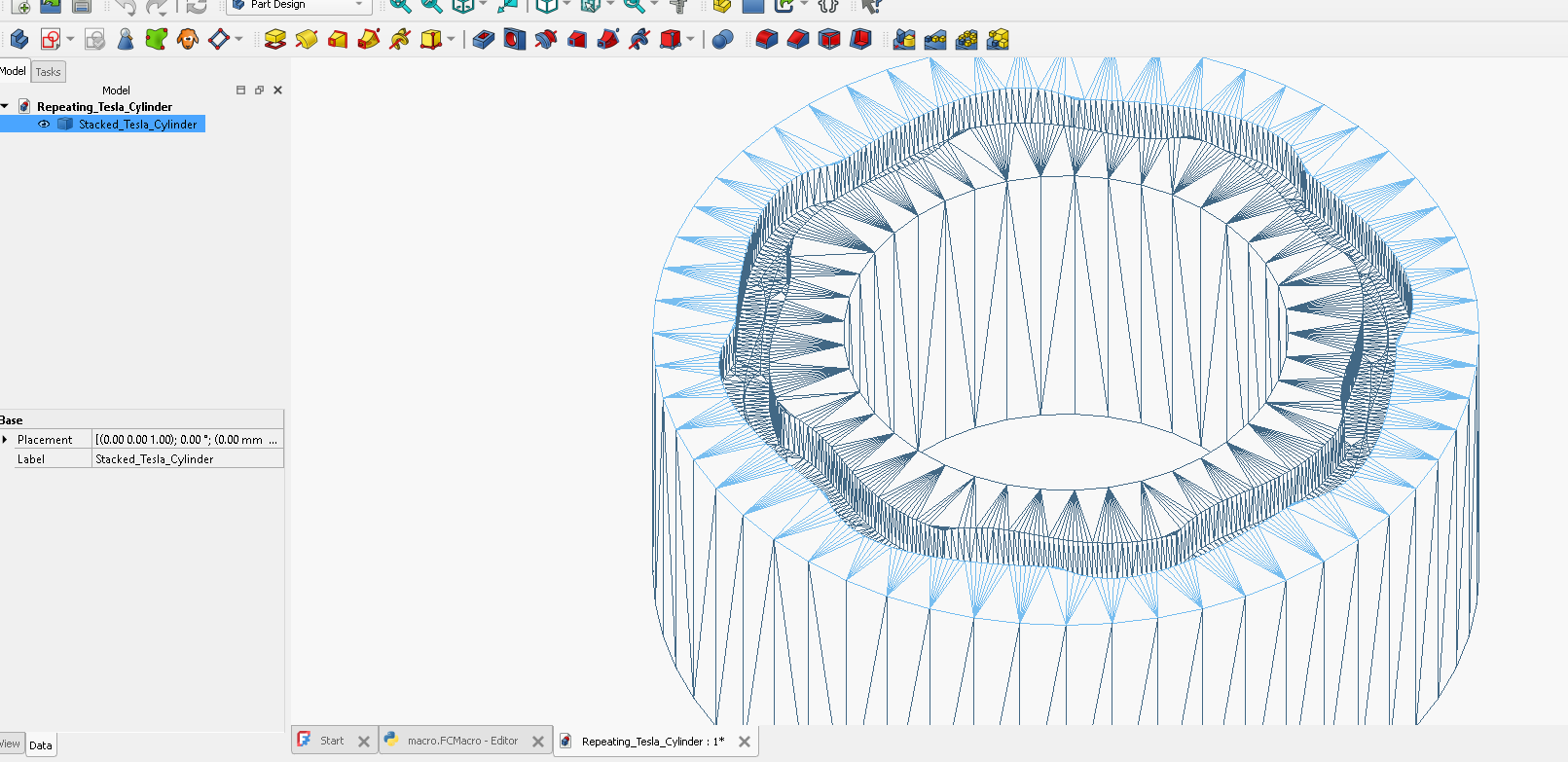
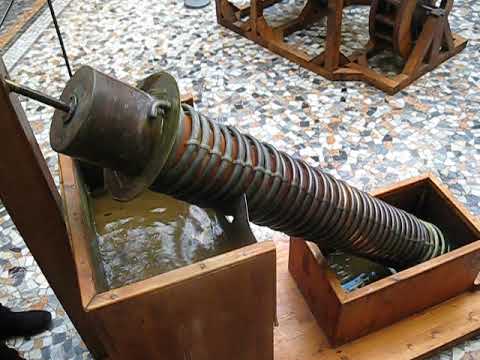
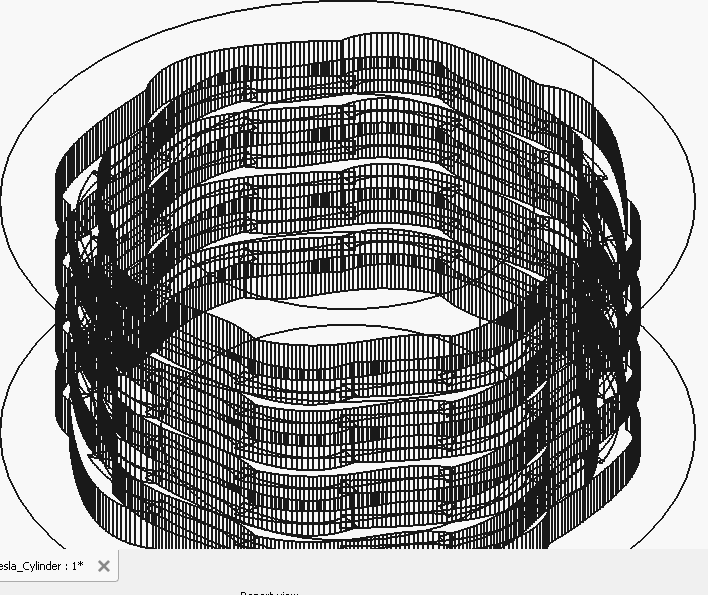
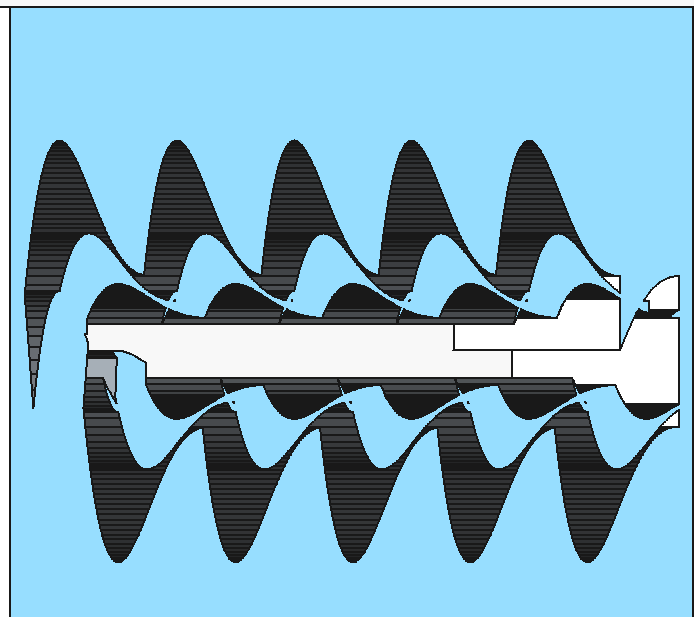
Not connected yet, but an interesting formation appears which has potential to twist into our helix. It’s not the same radial nesting as with the open source examples, but I think it’s worth exploring for certain applications. The spiral reminds me of the Archimedes Pump, on exhibit in Florence, Italy at Museo Leonardo Da Vinci.
2D Tesla Valve improvement Proposal 2:
import FreeCAD as App
import Part
import math

# --- Parameters ---
L = 40.0                 # Cell length
A = 12.0                 # Base amplitude
k = 1.8                  # Damping factor
num_cells = 5            # Number of Tesla cells per level
channel_height = 5.0
wall_thickness = 4.0
num_points = 60
overlap = 1.5             # Overlap at cell ends
max_depth = 3             # Number of recursive levels
scale_factor = 0.5        # Scaling per recursive level
widths = [4.5, 3.0, 2.0] # Widths per level (outer → inner)

doc = App.activeDocument() or App.newDocument("Recursive_Tesla_Valve")

# --- Tesla curve ---
def tesla_curve(t, x_offset, mirror=False, scale=1):
    m = -1 if mirror else 1
    x = (L + overlap) * t + x_offset - (overlap / 2)
    y = m * A * scale * math.sin(math.pi * t) * math.exp(-k * t) * (1 - t)
    return App.Vector(x, y, 0)

# --- Create segment ---
def create_segment(x_offset, mirror=False, scale=1, width=4.5):
    pts = [tesla_curve(i/(num_points-1), x_offset, mirror, scale) for i in range(num_points)]

    top, bottom = [], []
    for i in range(len(pts)):
        if i < len(pts)-1:
            tan = pts[i+1] - pts[i]
        else:
            tan = pts[i] - pts[i-1]
        tan.normalize()
        norm = App.Vector(-tan.y, tan.x, 0)
        top.append(pts[i] + norm * (width / 2))
        bottom.append(pts[i] - norm * (width / 2))

    bottom.reverse()
    wire = Part.makePolygon(top + bottom + [top[0]])
    return Part.Face(wire).extrude(App.Vector(0, 0, channel_height))

# --- Recursive Tesla chain builder ---
def build_tesla_chain(level, x_offset=0):
    if level >= max_depth:
        return None

    scale = scale_factor ** level
    width = widths[level] if level < len(widths) else widths[-1]

    segments = []
    for n in range(num_cells):
        # Standard chain
        segments.append(create_segment(n*L + x_offset, False, scale, width))
        # Mirrored staggered
        segments.append(create_segment(n*L + L/2 + x_offset, True, scale, width))

    # Fuse segments
    chain = segments[0]
    for s in segments[1:]:
        chain = chain.fuse(s)

    # Recursive inner chain
    inner_chain = build_tesla_chain(level + 1, x_offset + L/4)

    if inner_chain:
        chain = chain.cut(inner_chain)  # Subtract inner from outer

    return chain

# --- Build full recursive Tesla valve ---
fluid_path = build_tesla_chain(0)

# --- Solid block ---
bb = fluid_path.BoundBox
body = Part.makeBox(bb.XLength + 10,
                    bb.YLength + (wall_thickness*2),
                    channel_height,
                    App.Vector(bb.XMin - 5, bb.YMin - wall_thickness, 0))

# --- Final cut ---
tesla_valve = body.cut(fluid_path)

# --- Display ---
obj = doc.addObject("Part::Feature", "Recursive_Tesla_Valve")
obj.Shape = tesla_valve
doc.recompute()
Oh My…
import FreeCAD as App
import Part
import math

# --- Hyper-Dramatic Parameters ---
L = 32.0              # Short cells for high-freq pulses
A_base = 12.0         # Amplitude scales with radius
k = 2.6               # Extremely sharp re-injection for max efficiency
num_cells = 6
channel_width = 3.8
pitch_base = 40.0     # Dramatic vertical climb

# --- Hyper-Nesting Control ---
num_shells = 3        # Concentric radial layers
threads_per_shell = 3 # Multi-start threads per layer
R0_start = 50.0
shell_spacing = 25.0
wall_thickness = 7.0

doc = App.activeDocument() or App.newDocument("HyperNested_Tesla_Jet")

def map_to_hyper_spiral(vec, total_L, theta_offset, r_shell, shell_idx):
    """Maps to a multi-shell, multi-start, counter-rotating manifold."""
    # Alternate rotation direction per shell to maximize shear
    direction = 1 if shell_idx % 2 == 0 else -1

    progress_angle = (vec.x / total_L) * (2 * math.pi * (num_cells / 1.1))
    angle = (progress_angle * direction) + theta_offset

    # Growth rate increases with outer shells for 'Dramatic' expansion
    growth = (20.0 + (shell_idx * 10)) * (progress_angle / (2 * math.pi))

    r = r_shell + growth + vec.y
    z = (pitch_base * (progress_angle / (2 * math.pi))) + vec.z

    return App.Vector(r * math.cos(angle), r * math.sin(angle), z)

def make_tri_face(p1, p2, p3):
    return Part.Face(Part.makePolygon([p1, p2, p3, p1]))

def create_hyper_segment(x_offset, mirror, total_L, theta_off, r_shell, s_idx):
    m = -1 if mirror else 1
    num_pts = 30
    paths = [[], [], [], []]

    # Scale amplitude for outer shells
    A = A_base + (s_idx * 4)
    c_height = 6.0 + (s_idx * 2)

    for i in range(num_pts):
        t = i / (num_pts - 1)
        lx = (L + 1.5) * t + x_offset - 0.75
        ly = m * A * math.sin(math.pi * t) * math.exp(-k * t) * (1 - t)**1.2

        p = App.Vector(lx, ly, 0)
        corners = [
            App.Vector(p.x, p.y - channel_width/2, 0),
            App.Vector(p.x, p.y + channel_width/2, 0),
            App.Vector(p.x, p.y + channel_width/2, c_height),
            App.Vector(p.x, p.y - channel_width/2, c_height)
        ]
        for j in range(4):
            paths[j].append(map_to_hyper_spiral(corners[j], total_L, theta_off, r_shell, s_idx))

    faces = []
    for j in range(4):
        p_curr, p_next = paths[j], paths[(j+1)%4]
        for i in range(len(p_curr)-1):
            a, b, c, d = p_curr[i], p_curr[i+1], p_next[i], p_next[i+1]
            faces.append(make_tri_face(a, b, d))
            faces.append(make_tri_face(a, d, c))

    s_cap, e_cap = [p[0] for p in paths], [p[-1] for p in paths]
    faces.extend([make_tri_face(s_cap[0], s_cap[1], s_cap[2]), make_tri_face(s_cap[0], s_cap[2], s_cap[3])])
    faces.extend([make_tri_face(e_cap[0], e_cap[1], e_cap[2]), make_tri_face(e_cap[0], e_cap[2], e_cap[3])])
    return Part.Solid(Part.makeShell(faces))

# --- Build Process ---
total_L = num_cells * L
all_voids = []

for s_idx in range(num_shells):
    r_shell = R0_start + (s_idx * shell_spacing)
    for t_idx in range(threads_per_shell):
        start_angle = (2 * math.pi / threads_per_shell) * t_idx
        for n in range(num_cells):
            all_voids.append(create_hyper_segment(n * L, False, total_L, start_angle, r_shell, s_idx))
            all_voids.append(create_hyper_segment(n * L + (L/2), True, total_L, start_angle, r_shell, s_idx))

print(f"Weaving {len(all_voids)} nested segments...")
fluid_path = all_voids[0]
for s in all_voids[1:]:
    fluid_path = fluid_path.fuse(s)

# --- Build Monolithic Housing ---
bb = fluid_path.BoundBox
outer_r = bb.XMax + wall_thickness
housing = Part.makeCylinder(outer_r, bb.ZMax + wall_thickness, App.Vector(0,0,-2))
inner_core = Part.makeCylinder(R0_start - wall_thickness, bb.ZMax + wall_thickness, App.Vector(0,0,-2))
body = housing.cut(inner_core)

print("Executing final Boolean subtraction...")
hyper_tesla = body.cut(fluid_path)

# --- Display ---
obj = doc.addObject("Part::Feature", "HyperNested_Tesla_Manifold")
obj.Shape = hyper_tesla
if App.GuiUp:
    obj.ViewObject.ShapeColor = (0.05, 0.05, 0.1)
    obj.ViewObject.Transparency = 70
doc.recompute()
print("Refined Dramatic Nesting Complete.")
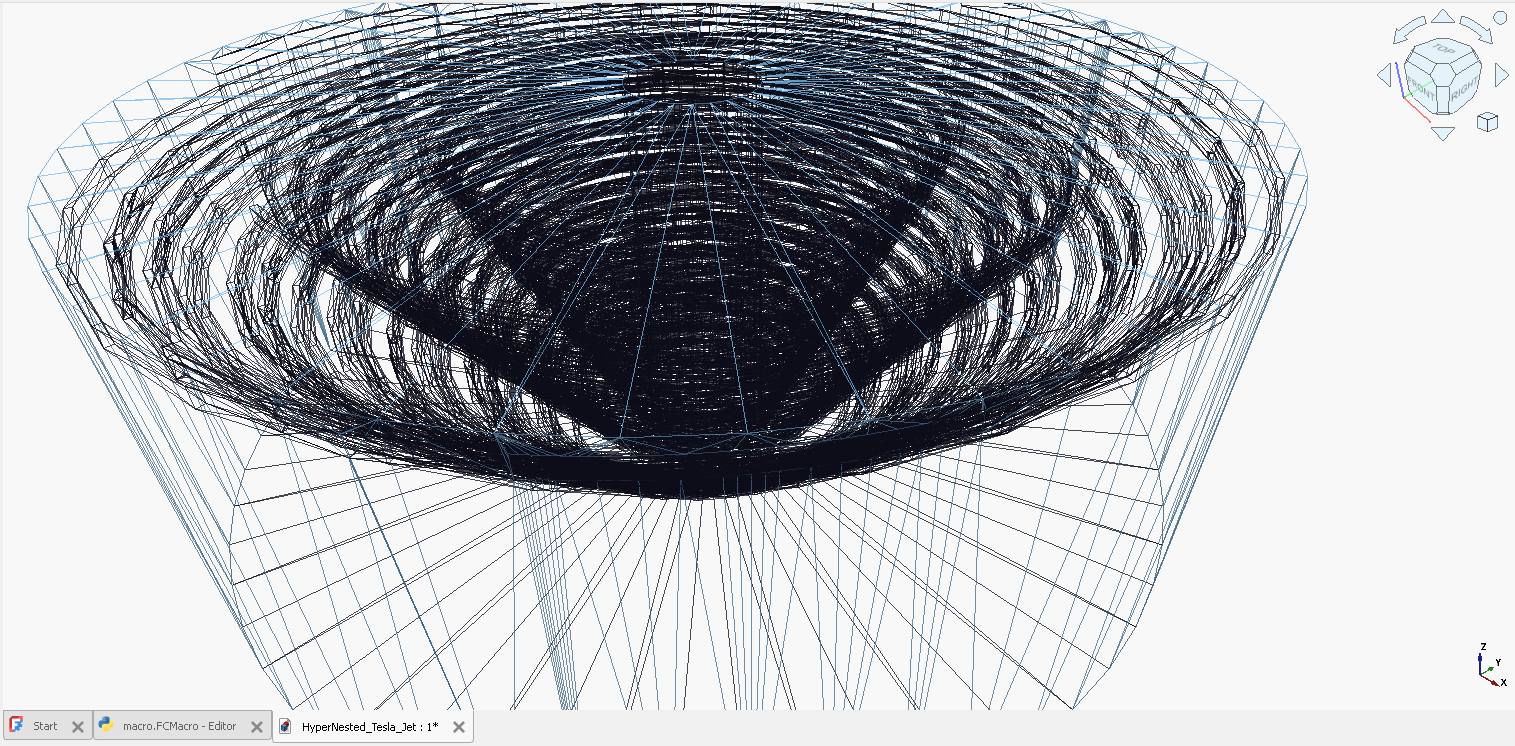
Oh My 2…
import FreeCAD as App
import Part
import math
# --- Parameters ---
L = 32.0
A_base = 12.0
k = 2.8
num_cells = 6
channel_width = 3.8
pitch_base = 50.0
num_shells = 4
threads_per_shell = 4
R0_start = 50.0
shell_spacing = 25.0
wall_thickness = 7.0
doc = App.activeDocument() or App.newDocument("HyperNested_Tesla_Jet")
# --- Map to Spiral safely ---
def map_to_hyper_spiral(x, y, z, total_L, theta_offset, r_shell, shell_idx):
    direction = 1 if shell_idx % 2 == 0 else -1
    x = float(x)
    y = float(y)
    z = float(z)
    progress_angle = (x / total_L) * (2 * math.pi * (num_cells / 1.05))
    angle = (progress_angle * direction) + theta_offset
    growth = (20.0 + 10 * shell_idx) * (progress_angle / (2*math.pi))
    r = float(r_shell + growth + y)
    z_out = float((pitch_base * (1 + shell_idx*0.25) * (progress_angle/(2*math.pi))) + z)
    return App.Vector(r * math.cos(angle), r * math.sin(angle), z_out)
# --- Make Face ---
def make_tri_face(p1, p2, p3):
    return Part.Face(Part.makePolygon([p1, p2, p3, p1]))
# --- Create Segment ---
def create_hyper_segment(x_offset, mirror, total_L, theta_off, r_shell, s_idx):
    m = -1 if mirror else 1
    num_pts = 30
    paths = [[], [], [], []]
    A = A_base + s_idx*4
    c_height = 6.0 + s_idx*2
    for i in range(num_pts):
        t = float(i) / float(num_pts - 1)
        lx = (L + 1.5) * t + x_offset - 0.75
        ly = m * A * math.sin(math.pi*t) * math.exp(-k*t) # Safe, strictly real
        # Corners of the channel
        corners = [
            (lx, ly - channel_width/2, 0),
            (lx, ly + channel_width/2, 0),
            (lx, ly + channel_width/2, c_height),
            (lx, ly - channel_width/2, c_height)
        ]
        for j in range(4):
            x_c, y_c, z_c = corners[j]
            paths[j].append(map_to_hyper_spiral(x_c, y_c, z_c, total_L, theta_off, r_shell, s_idx))
    faces = []
    for j in range(4):
        p_curr, p_next = paths[j], paths[(j+1)%4]
        for i in range(len(p_curr)-1):
            a, b, c, d = p_curr[i], p_curr[i+1], p_next[i], p_next[i+1]
            faces.append(make_tri_face(a, b, d))
            faces.append(make_tri_face(a, d, c))
    s_cap, e_cap = [p[0] for p in paths], [p[-1] for p in paths]
    faces.extend([make_tri_face(s_cap[0], s_cap[1], s_cap[2]), make_tri_face(s_cap[0], s_cap[2], s_cap[3])])
    faces.extend([make_tri_face(e_cap[0], e_cap[1], e_cap[2]), make_tri_face(e_cap[0], e_cap[2], e_cap[3])])
    return Part.Solid(Part.makeShell(faces))
# --- Build Spiral ---
total_L = num_cells * L
all_segments = []
for s_idx in range(num_shells):
    r_shell = R0_start + s_idx*shell_spacing
    print(f"Building shell {s_idx+1}/{num_shells}, base radius {r_shell}")
    for t_idx in range(threads_per_shell):
        start_angle = (2*math.pi / threads_per_shell) * t_idx
        for n in range(num_cells):
            all_segments.append(create_hyper_segment(n*L, False, total_L, start_angle, r_shell, s_idx))
            all_segments.append(create_hyper_segment(n*L + L/2, True, total_L, start_angle, r_shell, s_idx))
print(f"Weaving {len(all_segments)} segments...")
hyper_path = all_segments[0]
for s in all_segments[1:]:
    hyper_path = hyper_path.fuse(s)
# --- Housing ---
bb = hyper_path.BoundBox
outer_r = float(bb.XMax + wall_thickness)
housing = Part.makeCylinder(outer_r, float(bb.ZMax + wall_thickness), App.Vector(0,0,-2))
inner_core = Part.makeCylinder(R0_start - wall_thickness, float(bb.ZMax + wall_thickness), App.Vector(0,0,-2))
body = housing.cut(inner_core)
print("Executing final Boolean subtraction...")
hyper_tesla = body.cut(hyper_path)
# --- Add to FreeCAD ---
obj = doc.addObject("Part::Feature", "HyperNested_Tesla_Manifold")
obj.Shape = hyper_tesla
if App.GuiUp:
    obj.ViewObject.ShapeColor = (0.05, 0.05, 0.1)
    obj.ViewObject.Transparency = 70
doc.recompute()
print("✅ Hyper-Dramatic Nested Tesla Spiral Complete.")